How to Extract Data from Dynamics 365 Finance: DMF, OData, Excel Add-in, Fabric, BPA and Financial Reporter Explained
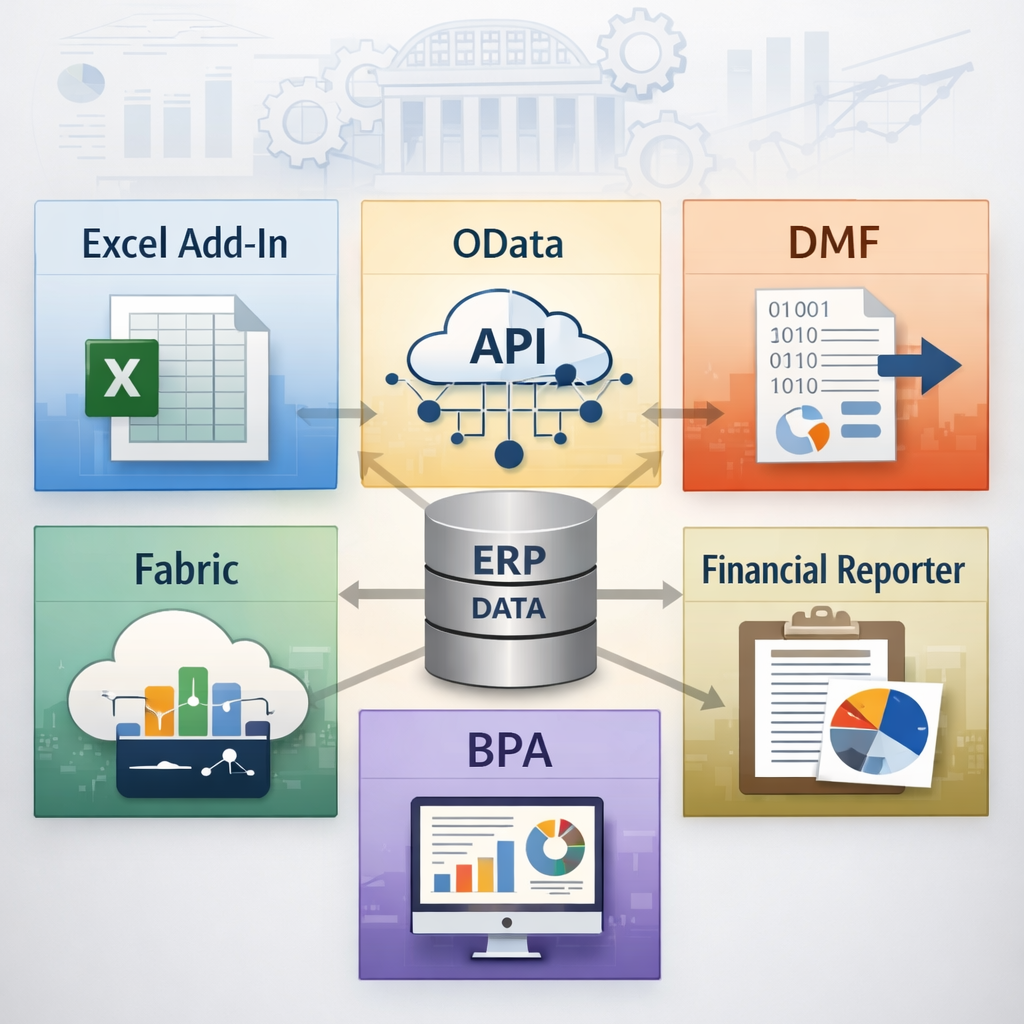
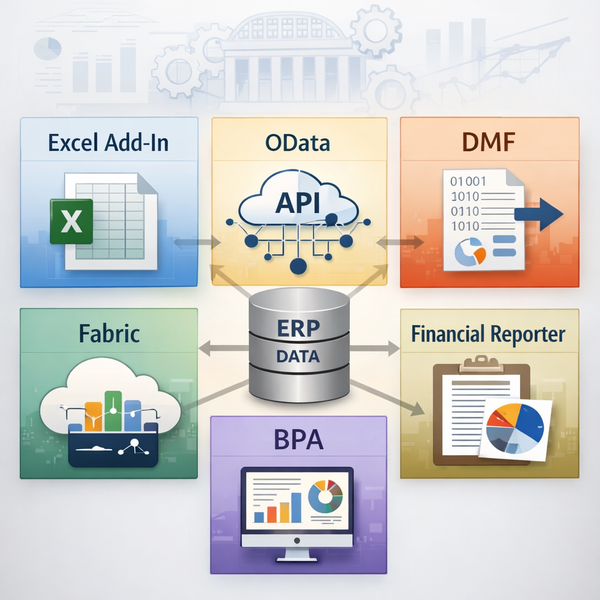
DMF, OData, Excel Add-in, Fabric, BPA and Financial Reporter Explained
One of the first questions organizations ask after implementing an ERP is simple:
"How do we get the data out?"
In Dynamics 365 Finance, several tools exist for accessing and extracting data. Some are designed for operational analysis, others for system integrations, and others for analytics or financial reporting.
The most common ones include:
- Excel Add-in
- OData endpoints
- Data Management Framework (DMF)
- Microsoft Fabric / Data Lake integrations
- Business Performance Analytics (BPA)
- Financial Reporter
Each serves a different purpose. Understanding when to use each one helps avoid performance issues, unnecessary development effort, and conflicting reporting structures.
The key decision is not which tool is best — it is which tool is appropriate for each specific use case.
Why Data Extraction Matters in ERP
ERP systems contain a large portion of an organization's operational and financial data. That data is typically reused for several purposes: financial reporting, operational dashboards, reconciliation analysis, data warehouse integration, and audit support.
Choosing the wrong extraction method creates problems that compound over time — performance degradation in the ERP system, incomplete datasets, integrations that are difficult to maintain, and multiple conflicting reporting sources that erode confidence in the numbers.
In practice, most organizations use several data access methods simultaneously. The discipline is knowing which one to reach for and why.
1. Excel Add-in — Best for Interactive Finance Analysis
The Excel Add-in is the most accessible way to work with Dynamics 365 Finance data. It allows Excel to connect directly to data entities exposed by the ERP and supports both read and write-back operations.
Typical use cases: ad-hoc analysis by finance teams, operational reconciliation, data review and small corrections directly from Excel.
Strengths: easy to use for business users without technical support, supports direct write-back to the system, practical for day-to-day operational work.
Limitations: not designed for large datasets — performance degrades quickly as record counts increase. Not suitable for automated or scheduled integrations. Performance is also dependent on the design of the underlying data entity, which varies significantly across entities in D365.
For many finance teams, the Excel Add-in remains the most practical tool for daily analysis work — but it should not be the backbone of any reporting architecture.
2. OData — Best for Integrations and Lightweight Reporting
OData endpoints expose Dynamics 365 Finance data entities through standard web APIs, allowing external tools to retrieve data programmatically.
Typical use cases: Application integrations, operational reporting, targeted Power BI datasets.
Strengths: near real-time access to ERP data, widely supported integration standard, suitable for incremental queries.
Limitations: OData in D365 Finance has meaningful performance constraints that are easy to underestimate. Two issues appear regularly in production environments:
API throttling limits the number of requests that can be made within a given time window. Teams that build integrations without accounting for this discover the problem only when data volumes grow or refresh frequency increases. The practical mitigation is to design integrations around incremental queries — retrieving only records modified since the last pull — rather than full dataset refreshes.
The second issue is entity design. Not all OData entities in D365 are equally performant. Some are built on complex views that generate expensive queries under the hood. Before committing to an OData-based integration, it is worth validating entity performance in a non-production environment with representative data volumes.
For Power BI, OData can work well for small to moderate, well-scoped datasets. However, it is not designed for large-scale analytics. As data volume, model complexity, or refresh frequency increases, architectures based on Data Lake or Fabric become more appropriate.
3. Data Management Framework (DMF) — Best for Large Data Exports
The Data Management Framework is the most robust data extraction mechanism built natively into D365 Finance. It is designed for volume — large exports, scheduled integrations, and migration scenarios where reliability matters more than real-time access.
Typical use cases: exporting millions of records, feeding a data warehouse, batch integrations with external systems.
Strengths: optimized for large data volumes, supports batch processing and scheduling, reliable for structured exports, handles complex entity relationships better than OData at scale.
Limitations: not designed for real-time reporting. Requires batch job configuration and monitoring. Less interactive than other tools — not appropriate for ad-hoc analysis.
When large datasets must be moved reliably on a schedule, DMF is almost always the right choice. The trade-off is setup complexity and the latency inherent in batch processing.
→ Data quality at the source directly affects what DMF exports. See ERP Data Migration Traps for the most common data quality issues that surface in extraction scenarios. https://www.fitgapfinance.com/erp-data-migration-traps/
4. Microsoft Fabric and Data Lake Integration
Microsoft Fabric is becoming the strategic analytics layer for enterprise data platforms built on the Microsoft stack. For D365 Finance, this means ERP data can be replicated to a data lake environment where it is available for advanced analytics, large-scale Power BI reporting, and integration with other enterprise datasets.
Typical capabilities: combining ERP data with data from other systems, building scalable analytics pipelines, enabling reporting that would be impractical to run directly against the ERP.
Strengths: scalable architecture for enterprise analytics, strong integration with Microsoft data services, suitable for advanced data engineering scenarios.
Limitations worth naming clearly:
The first is architectural complexity. Fabric is not a plug-and-play solution. It requires data architecture governance — decisions about what gets replicated, at what frequency, who owns the datasets, and how conflicts between ERP and lake data are resolved. Organizations that treat it as an out-of-the-box analytics tool tend to accumulate technical debt quickly.
The second is the distinction between two replication mechanisms: Export to Azure Data Lake (the older approach, now being deprecated in some configurations) and Fabric Link for Dynamics 365 (the newer, preferred path). These are not interchangeable and the migration from one to the other requires planning. Teams evaluating Fabric should confirm which mechanism applies to their environment and roadmap.
For organizations building modern analytics platforms, Fabric represents the right strategic direction — but the implementation complexity should be scoped honestly from the start.
5. Business Performance Analytics (BPA)
Business Performance Analytics provides pre-built financial analytics models for Dynamics 365 Finance data. The intent is to reduce the time required to stand up financial reporting by providing semantic models that teams can use directly in Power BI rather than building from scratch.
Typical use cases: financial dashboards, operational KPIs, Power BI reporting built on standardized financial data models.
Strengths: pre-built semantic models reduce initial development effort, faster reporting implementation for standard financial use cases.
Limitations worth understanding before adoption:
BPA is not universally available. It requires Dataverse and has regional availability constraints — verify current availability for your environment before committing to it as a reporting foundation.
Pre-built semantic models are a starting point, not a finish line. Organizations that have already built custom reporting definitions — in Financial Reporter, Power BI, or elsewhere — will find that BPA's models may conflict with existing definitions of key financial metrics. Reconciling these conflicts requires governance decisions about which definition of a metric is authoritative, which is a non-trivial organizational process.
BPA is most valuable for organizations starting fresh, without an established reporting architecture, who want to move quickly on standard financial analytics. For organizations with mature reporting environments, it requires more careful evaluation before adoption.
6. Financial Reporter — Financial Statement Reporting
Financial Reporter occupies a distinct position in the D365 Finance ecosystem. Unlike the tools above, it is not designed for data extraction or analytics pipelines. It focuses specifically on producing structured financial statements.
Typical use cases: income statements, balance sheets, management financial packages, multi-entity reporting, financial analysis using financial dimensions.
Strengths: designed specifically for finance reporting, strong support for financial dimensions and reporting trees, widely used for both statutory and management reporting, does not require data engineering to operate.
Limitations: scoped to financial data only. Not intended for operational analytics or large-scale data extraction. The report design interface has a learning curve that is steeper than most modern BI tools.
For many finance teams, Financial Reporter remains the primary tool for producing structured financial statements — while operational analytics flow through BI tools connected via OData or Fabric. These are complementary rather than competing tools.
Choosing the Right Data Access Method
| Use Case | Recommended Tool |
|---|---|
| Ad-hoc finance analysis | Excel Add-in |
| Real-time dashboards (moderate volume) | OData |
| Large data exports / batch integration | DMF |
| Enterprise analytics architecture | Fabric |
| Pre-built financial analytics (greenfield) | BPA |
| Financial statements | Financial Reporter |
Most organizations will use several of these simultaneously. The discipline is defining clearly which tool serves which purpose — and preventing the same use case from being served by multiple tools in conflicting ways.
A Governance Reminder
Data extraction is not only a technical decision.
Every extraction method raises governance questions that need explicit answers: who owns the official reporting datasets, how often data should be refreshed, which dataset represents the single source of truth when numbers differ between systems, and who is accountable when they do.
Without clear governance, multiple extraction methods running in parallel quickly produce conflicting versions of financial data. Finance teams spend time reconciling reports instead of analysing them. Confidence in the numbers erodes.
The technical choice of which tool to use is the easier half of the problem. The governance structure that determines how extracted data is owned, maintained, and trusted is where most organizations underinvest.
→ For a framework on data ownership and governance in ERP programs, see Roles & Responsibilities in an ERP Implementation Project. https://www.fitgapfinance.com/roles-responsibilities-in-an-erp-implementation-project/
Final Thought
Dynamics 365 Finance offers several ways to access and extract data. Each method exists for a reason.
The goal is not to choose a single tool, but to build a clear map of which method serves which purpose — and to govern that map explicitly so it doesn't drift into complexity over time.
Organizations that treat data extraction as part of their broader ERP data architecture avoid most of the reporting and reconciliation challenges that appear later.
Continue Exploring
Ledger vs Subledger in D365 Finance https://www.fitgapfinance.com/ledger-vs-subledger-d365-finance/
The Hidden Cost of Faster Reporting in ERP https://www.fitgapfinance.com/the-hidden-cost-of-early-reporting-in-erp/
ERP Governance Is Non-Negotiable https://www.fitgapfinance.com/erp-governance-roles-escalation-culture-d365/
🇫🇷 Version française : https://www.fitgapfinance.com/extraction-donnees-dynamics-365-finance-dmf-odata-excel-fabric/
© 2026 FitGap Finance™ Practical ERP thinking for Finance leaders.